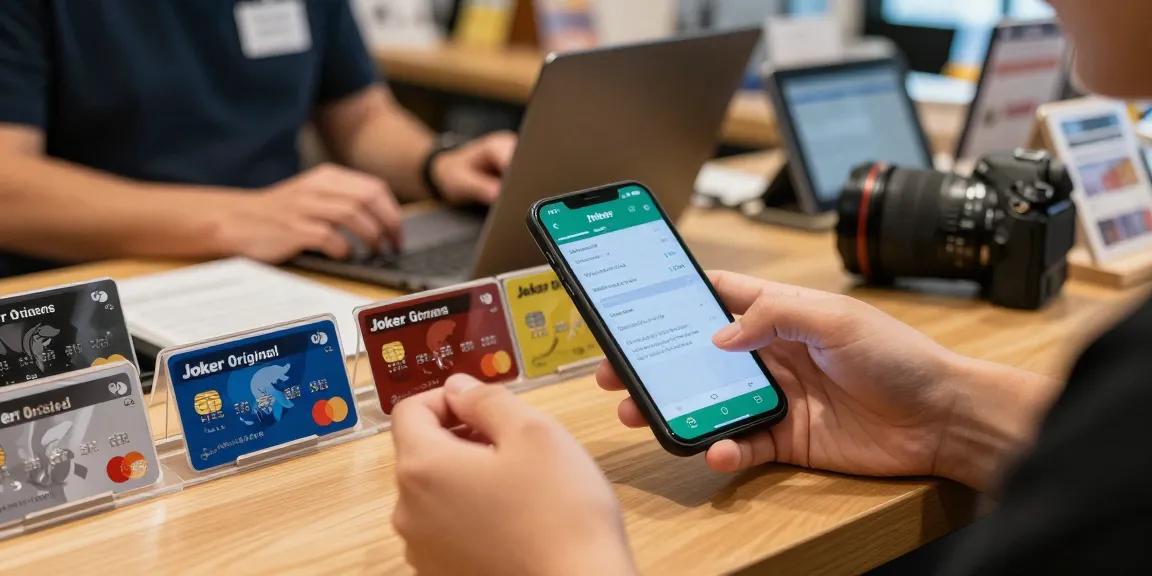
Understanding the Joker Prepaid Card
The Joker Prepaid Card is revolutionizing the way Canadians manage their spending. Unlike traditional banking options, the Joker Card offers a variety of prepaid Mastercard and Visa options, empowering users to shop, pay, and play online without the complications associated with credit checks or overdrafts. Since it is non-reloadable, it promotes responsible spending by limiting users to a set amount. Available at over 11,000 retailers across Canada, these cards come in fixed denominations ranging from $25 to $500, making them an accessible option for many. For those looking to explore efficient ways to check their balance, the Joker card balance check feature provides clear insights into current funds at a glance.
What is the Joker Card?
The Joker Card is a prepaid card offering flexibility and ease of use for financial transactions. It operates like a standard prepaid card, enabling users to make purchases wherever Mastercard and Visa are accepted, without the risk of overspending. Because it's a prepaid option, there’s no credit involved, making it ideal for budgeting or gifting.
Types of Joker Cards Available
Canadian retailers stock various Joker Card types to cater to different consumer needs:
- Joker Original Blue Mastercard: This is the flagship card for general-purpose use, available in denominations from $25 to $500.
- Joker Green Mastercard: An eco-friendly option that supports sustainability, while maintaining the same acceptance and denomination range.
- Joker Gamers Mastercard: Designed specifically for online gaming enthusiasts, this card is perfect for digital storefront purchases.
- Joker Confetti Visa: A celebration-themed card that makes a thoughtful gift for occasions like birthdays and graduations.
- Virtual Joker Mastercard: A digital-only card, delivered via SMS or email, ideal for online transactions.
How the Joker Card Differs from Other Payment Methods
Unlike traditional debit or credit cards, Joker Cards cannot be reloaded once the initial balance has been spent. This feature helps users maintain strict control over their spending. Furthermore, there’s no associated credit check, making the Joker Card accessible to a wider audience, including those with less-than-perfect credit histories.
How to Perform a Joker Card Balance Check
Keeping track of your remaining balance on a Joker Card is essential for responsible spending. Fortunately, checking the balance is convenient, with multiple ways available to ensure you always know how much is left.
Using the Official Joker Card Website
The most straightforward method to perform a balance check is through the official Joker Card website. Users can log into their accounts, providing essential details to view transaction history and current balances. This online method is secure, and users appreciate the access to a comprehensive overview of their card activity.
Mobile App Features for Balance Checking
For those who prefer mobile convenience, the Joker Card app is a viable option. The app allows users to quickly check their balance, view transaction histories, and receive notifications. It’s designed with user-friendly features that enhance the overall experience of managing a prepaid card.
Customer Service Options for Instant Assistance
If you encounter issues accessing your balance online or via the app, the customer service team is available to assist. You can contact them directly by calling the number provided with your card. They can help troubleshoot any issues or answer questions regarding your balance.
Common Issues with Joker Card Balance Checks
Even with the streamlined processes for checking your balance, users may occasionally run into issues. Understanding these challenges is key to effective card management.
Transaction Declines: Possible Reasons
Transactions may be declined for various reasons, such as insufficient funds on your card, errors in data entry, or expiry issues. Familiarizing yourself with common decline reasons can help streamline your shopping experience.
What to Do If Your Balance Check Fails
If you find that you cannot check your balance due to technical difficulties, first try accessing the service through a different browser or device. If the problem persists, reaching out to customer support is encouraged for resolution.
Understanding Hidden Fees and Charges
While Joker Cards are designed to be transparent, users should be aware of any potential hidden fees tied to usage, including transaction fees at certain retailers or limits on international transactions. Reading the terms and conditions is advisable to avoid surprises.
Best Practices for Managing Your Joker Card
To maximize the benefits of your Joker Card, consider implementing these best practices for effective management.
Setting Up Alerts for Balance Updates
Many users benefit from setting up balance alerts on their cards. By doing so, you can receive real-time updates directly to your phone or email when your balance dips below a predetermined threshold, helping you avoid declined transactions.
Tracking Expenses Effectively
Keeping a close eye on your expenditures is vital when using a prepaid card. Consider using budgeting apps that allow you to log transactions quickly, ensuring you stay within your financial limits.
When to Consider Switching Payment Methods
If you find that the Joker Card no longer meets your needs—perhaps due to frequent transactions or a desire for higher limits—you might want to explore other payment methods, such as reloadable prepaid cards or traditional debit accounts.
Future Trends in Prepaid Card Usage
The prepaid card industry is evolving rapidly; therefore, understanding future trends can help you stay ahead of the curve.
Digital Evolution of Prepaid Cards by 2026
As technology advances, we’re likely to see an increase in digital card options. Enhanced security measures will likely accompany these advancements, ensuring greater protection for users.
Emerging Technologies Enhancing Card Management
Innovative technologies like artificial intelligence and blockchain may come into play, offering users predictive insights into spending habits and greater security features.
Consumer Behavior Predictions in FinTech
As consumers become more tech-savvy, there will be a growing demand for integrated financial solutions that combine various payment types into a single accessible platform. Companies would need to adapt to this shift to remain competitive.
What is the Best Way to Check My Joker Card Balance?
The best method largely depends on personal preferences. For immediate results, the official website and mobile app are excellent sources. However, customer service remains a reliable fallback for urgent inquiries.
Can I Reload My Joker Prepaid Card?
No, the Joker Prepaid Card is a non-reloadable card. Once the balance is spent, the card cannot be topped up, making it distinct from other prepaid options that allow for refills.
How Do I Report Issues with My Joker Card?
If you experience difficulties, report them promptly to customer service either through the phone number on your card or by visiting the help section of the Joker Card website.
Where Can I Purchase the Joker Prepaid Card?
The Joker Prepaid Card is available at over 11,000 retail locations across Canada. Major grocery chains, convenience stores, and online retailers stock these cards in various denominations.
What Should I Do If My Joker Card Is Lost?
In the event that your card is lost or stolen, it’s imperative to contact customer service immediately. They will guide you through the process of blocking your card and potentially issuing a replacement.